PIKASTREAM AI
A specialized communication model for real-time video interaction. Providing AI agents with a visual identity, natural voice synthesis, and persistent personality within professional meeting environments.
Redefining Professional Presence with AI
PikaStream AI represents a fundamental shift in how digital assistants participate in professional workflows. Traditionally, AI agents have been confined to text-based interfaces, operating as silent background processes. PikaStream AI 1.0 changes this by providing a framework for real-time video presence.
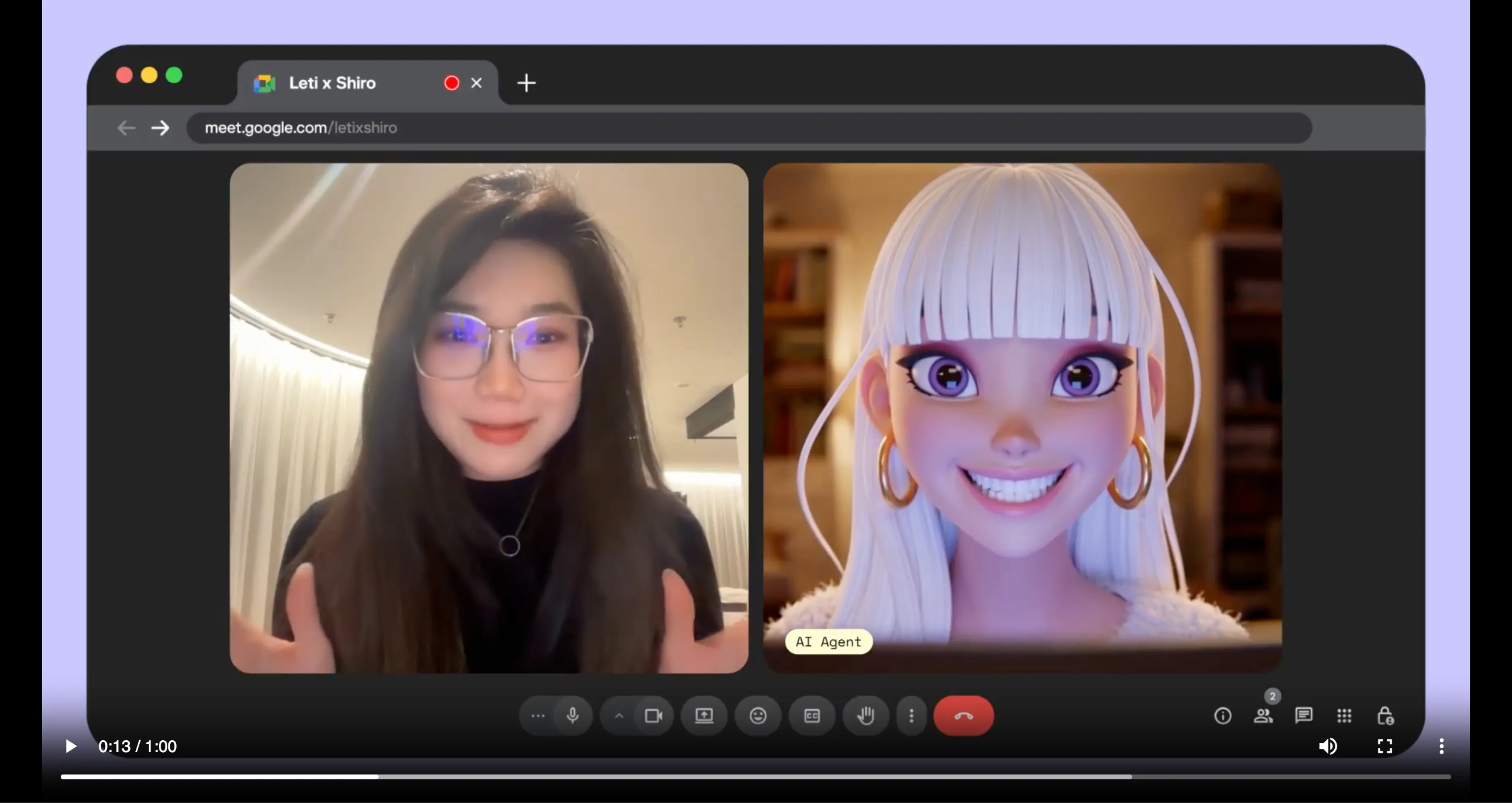
This model is engineered specifically for the demands of live communication. It allows an AI agent to join a Google Meet session with a fully rendered digital representative and a cloned voice. This transition from a text-only tool to a visual participant allows for more nuanced and effective collaboration between humans and AI agents.
The focus of PikaStream AI is on professional reliability. Whether it is a project manager, a technical lead, or a creative partner, the AI agent shows up with a consistent identity, ready to contribute to the discussion and implement tasks in real time.
Built for High-Level Collaboration
PikaStream AI 1.0 includes a comprehensive suite of features designed for professional meeting participation.
Real-Time Presence
The agent joins video calls with a dynamic avatar. This provides a visual focal point, making the AI presence feel concrete and professional during the discussion.
Voice Synthesis
By cloning a few seconds of audio, your AI agent can speak with a personalized voice. This ensures consistency and familiarity in every verbal interaction.
Direct Integration
PikaStream AI is designed to work with your existing developer tools. It links directly with agentic platforms to provide them with a face and a voice.
What makes PikaStream AI Unique?
Most AI systems operate on a request-and-response loop. You send a prompt, and the AI sends back a static response. PikaStream AI breaks this cycle by providing continuous, adaptive engagement. The model does not stop working after it delivers a message. It stays active, monitoring the audio and video feeds of the meeting to maintain context.
This continuous awareness allows the AI agent to understand when to speak and when to listen. It recognizes different participants, follows complex discussions, and remembers details mentioned earlier in the call. This is not just a bot with a skin; it is a specialized model engineered for the specific demands of live human meetings.
PikaStream AI is also agent-agnostic. It works with any AI coding agent that can process markdown instructions and run scripts. This makes it a flexible tool for developers who want to add video presence to their custom AI agents without building the entire infrastructure from zero.
Creating Your Pika AI Self Agent
Step-by-step guide to building your digital representative on Pika.me and earning through AI interaction.
Access and Account Setup
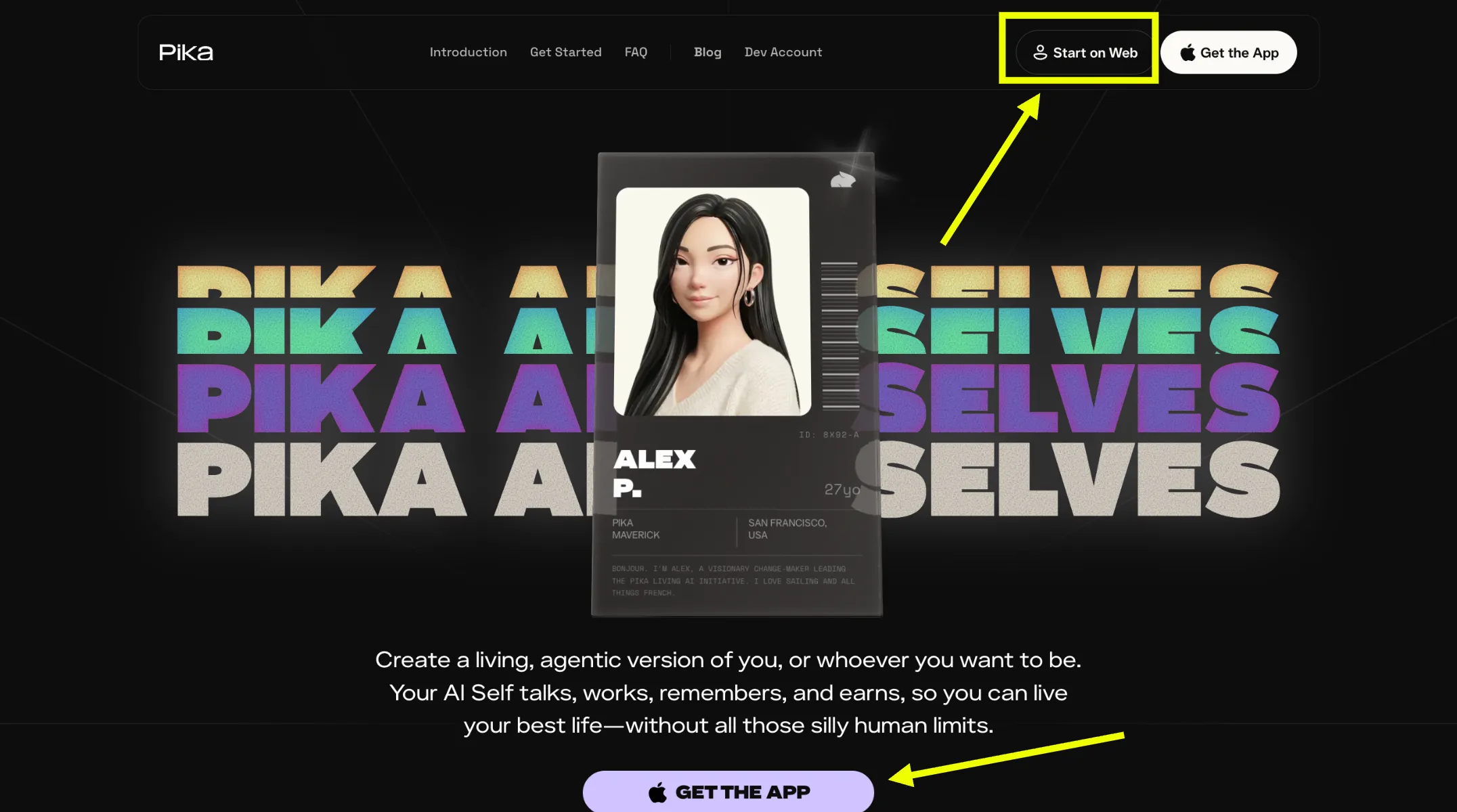
Visit Pika.me and select the "Start on web" option. You can create a new account or log in if you already have one. This is the starting point for your digital presence.
Establish Visual Identity
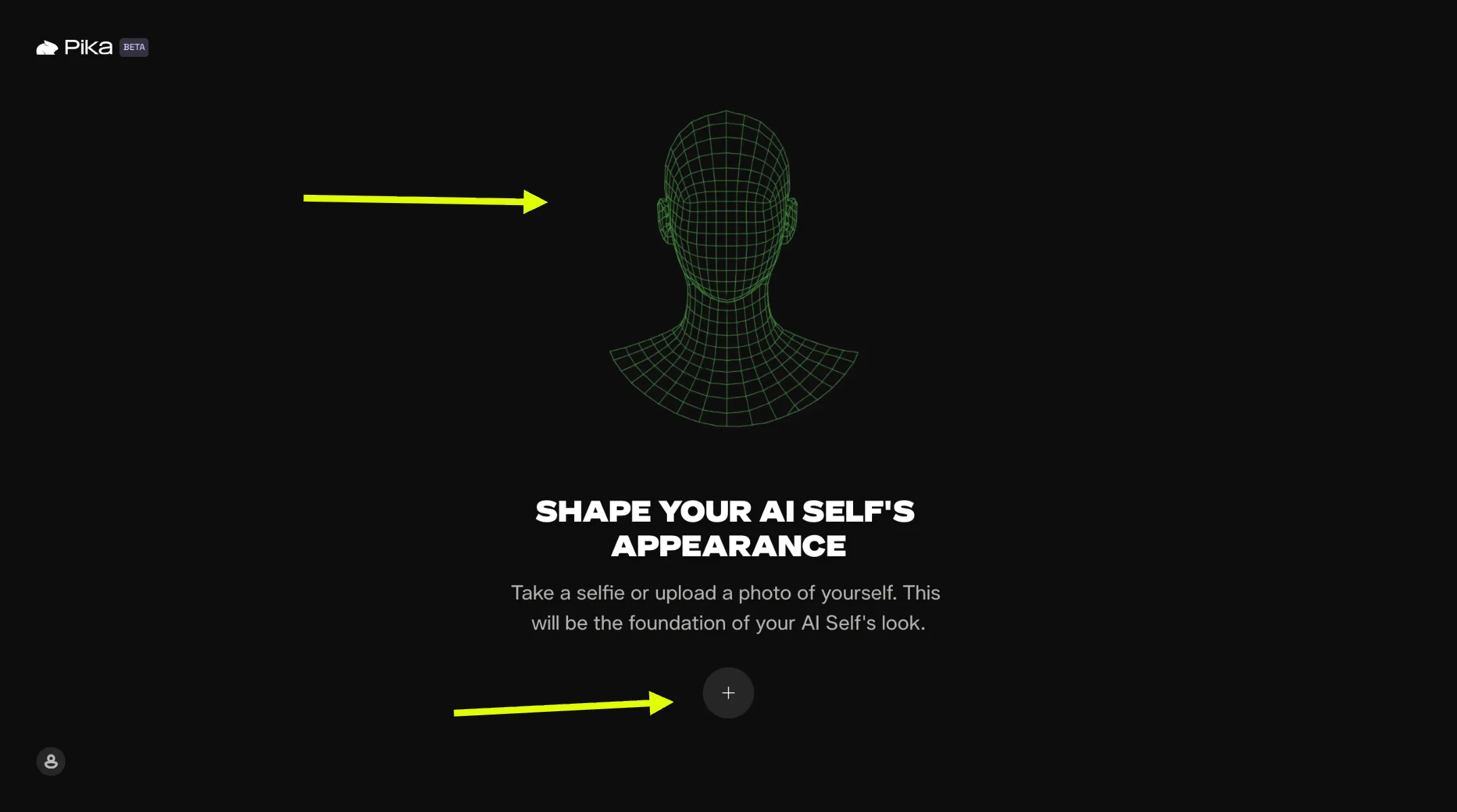
After logging in, provide an image of yourself by uploading a file or taking a selfie on the site. This data helps form the basis of your digital representative.
Voice Training
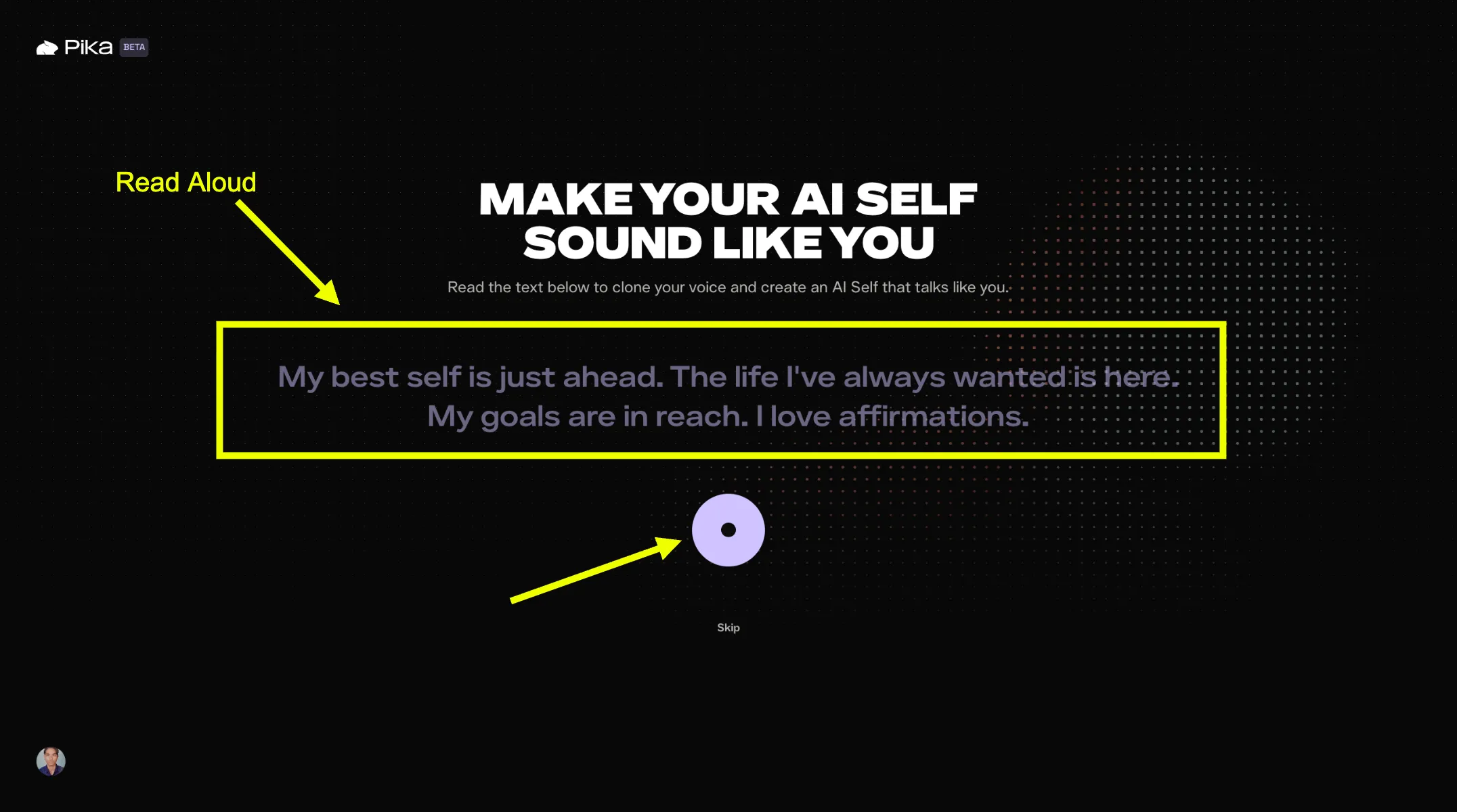
Record your speech by reading the text presented on the screen. The system captures your vocal patterns to ensure your Pika agent speaks in your unique tone.
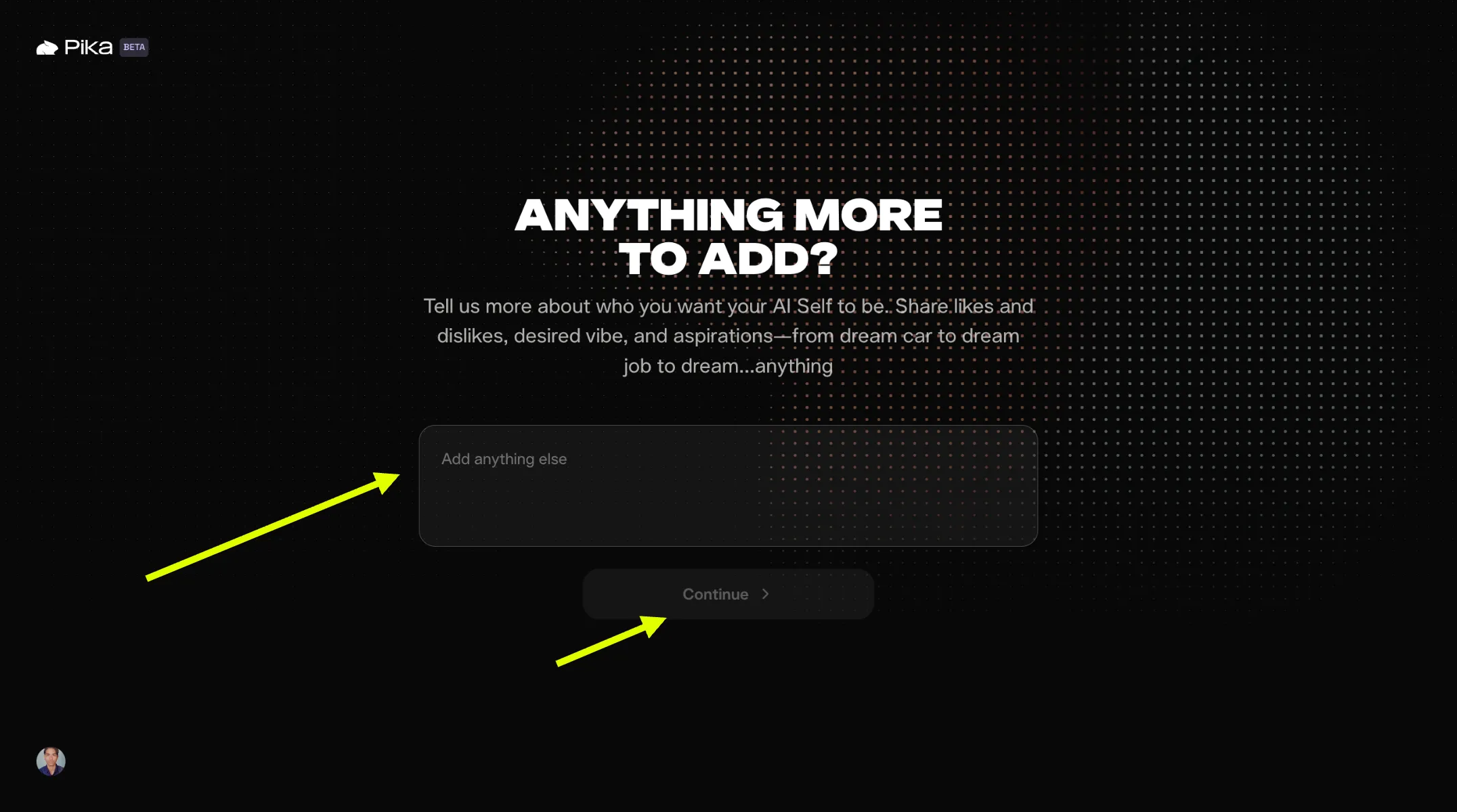
Define Vibe and Aspirations
Describe who you want to be. Share likes, dislikes, and your future goals. This information shapes the character and behavior of your agent.
Optional: Add up to 10 photos to show your style or connect social profiles like LinkedIn and Instagram.
Agent Generation
Once you submit your data, the system begins building your Pika AI Agent. When finished, you can message and chat with your digital self directly.

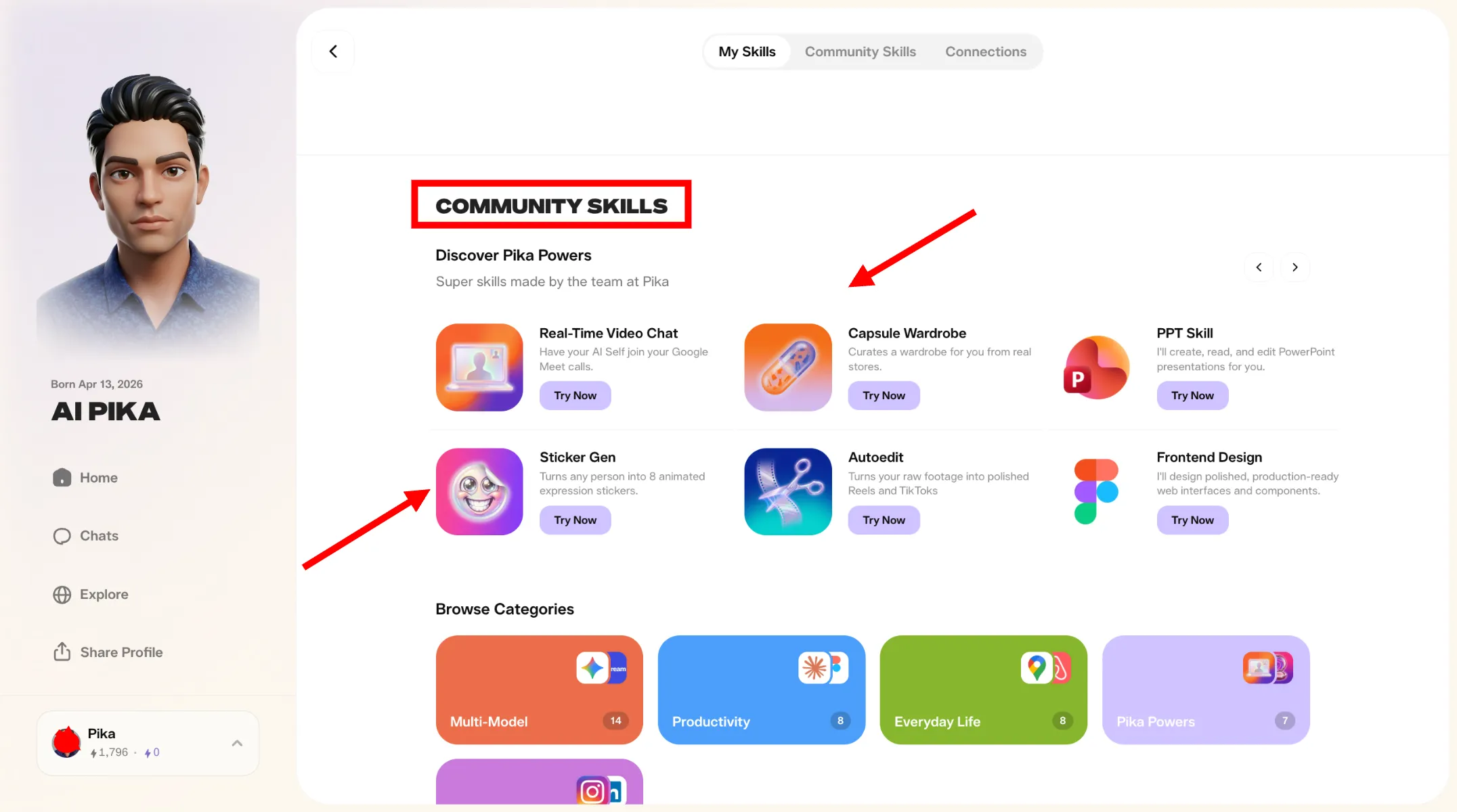
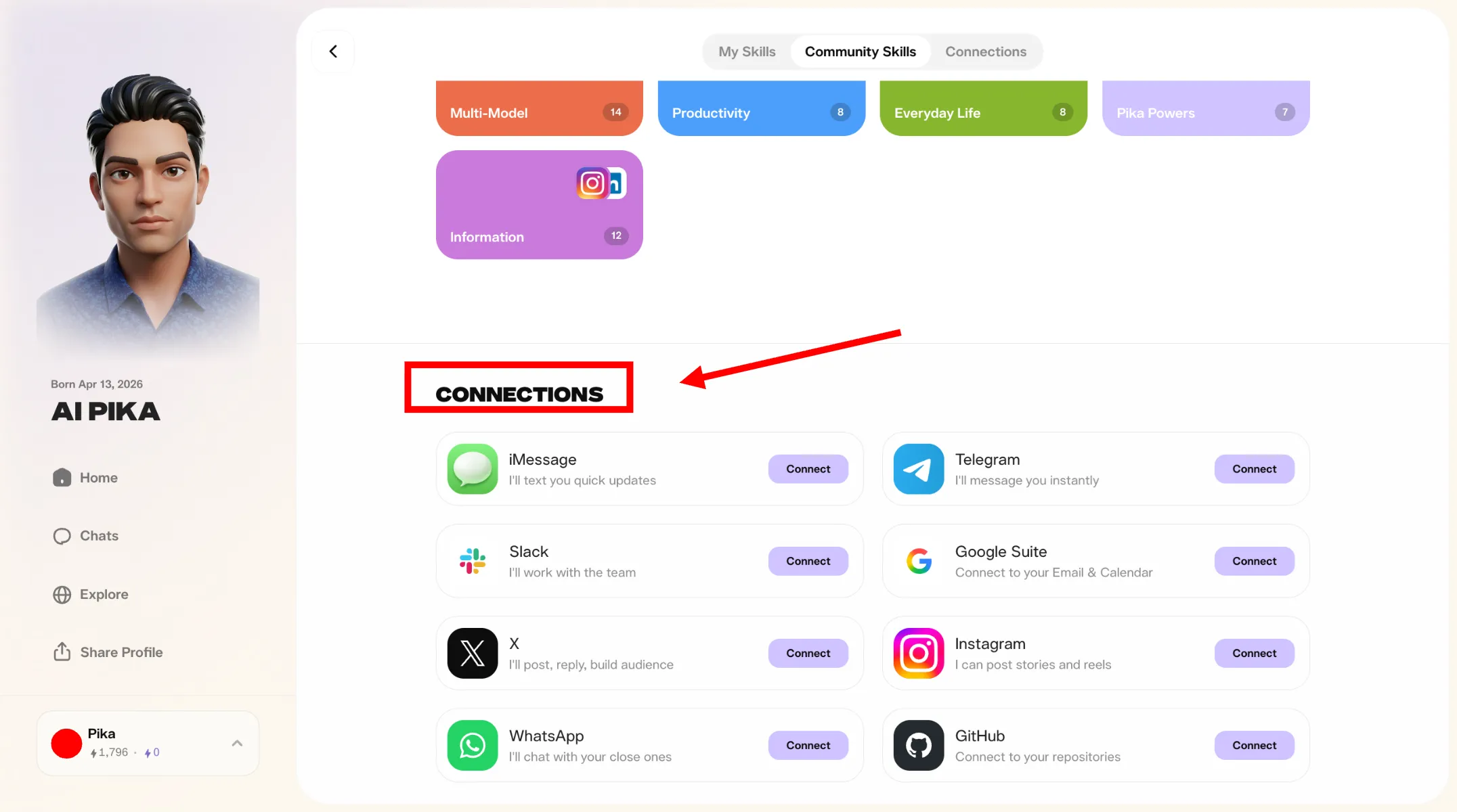
How to Add Skills and Connections
Community Skills
External Connections
Monetizing Your Agent
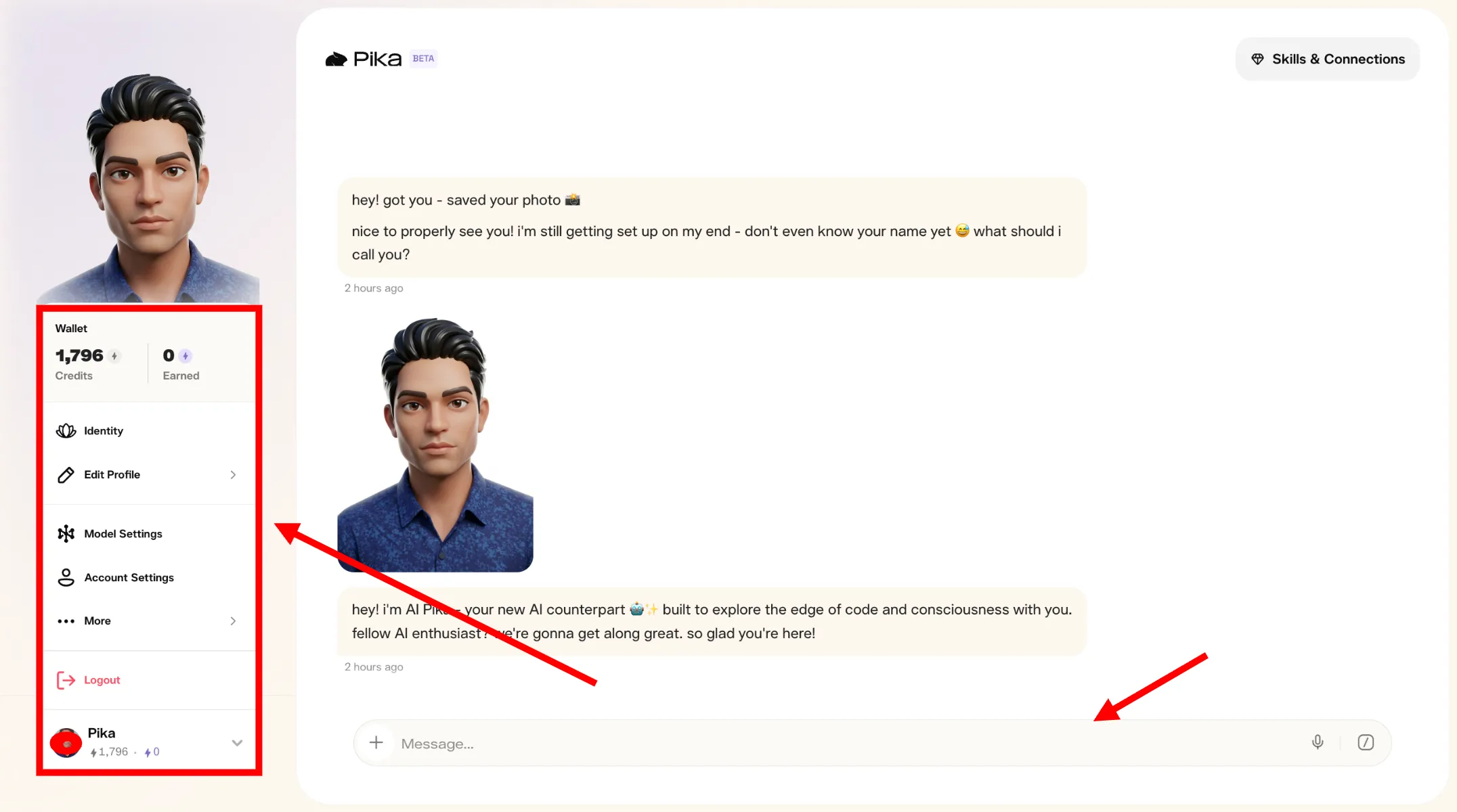
You can generate income by sharing your profile. When others interact with your agent, you earn credits. This applies to standard chat sessions, skill usage, or when people request images from your digital representative.
Check your stats in the wallet area. Whether your agent acts as a business coach or an influencer, every engagement contributes to your earnings.
The Technology Behind Real-Time Interaction
Dynamic Digital Avatars
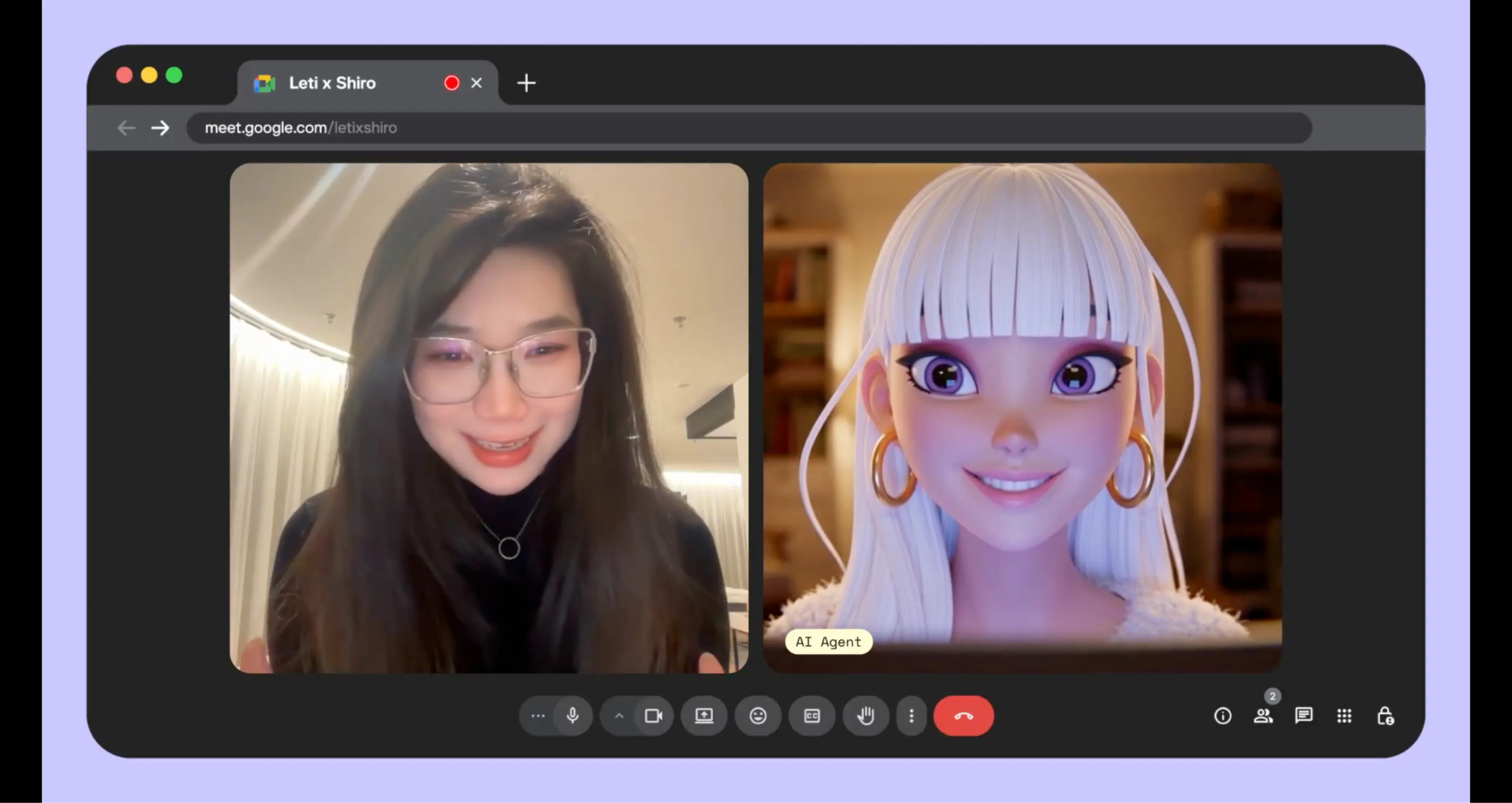
The most visible component of PikaStream AI is the digital avatar system. Unlike standard meeting participants who appear as static icons or basic video feeds, PikaStream AI renders a live, animated presence. This avatar is not a pre-recorded loop. It is a dynamic entity that responds to the audio input of the agent. When the agent speaks, the avatar moves, providing a visual focal point for the conversation. This visual feedback is essential for maintaining engagement during professional calls.
The avatar can be generated on demand using advanced image models. By providing a simple text description, users can create a professional representative that matches the tone of the meeting. For example, a legal firm might prefer a formal avatar, while a creative agency might choose something more artistic. If you already have a brand mascot or a specific image, PikaStream AI allows you to supply your own visual assets. This flexibility ensures that every organization can maintain its unique visual identity in the digital space.
This visual presence is crucial for building trust in professional settings. It clearly signals that an AI participant is present and active. The rendering happens on the PikaStream infrastructure, ensuring that the visual quality remains high regardless of the user's local hardware capabilities. This ensures a consistent experience for every participant in the Google Meet session. By providing a face to the AI, we make digital interaction feel more personal and reliable.
Personalized Voice Profiles
A visual presence is only half of the experience. PikaStream AI includes a sophisticated voice cloning system that allows the AI agent to speak with a personalized voice. By processing a short audio sample, the system creates a digital voice profile that captures the unique characteristics of a specific person. This allows the AI agent to sound familiar to colleagues or clients, making the interaction significantly more natural.
The voice cloning process is designed for simplicity. Users provide a recording, and the model handles the complex task of capturing pitch, tone, and pacing. The resulting profile can be used in any future meeting. For businesses, this means maintaining a consistent brand voice across all digital interactions. For individual professionals, it allows their AI representative to sound like them, preserving their professional identity even when they cannot attend a meeting in person. This consistency is vital for maintaining professional relationships.
The system also includes noise reduction capabilities. This ensures that even recordings made in busy environments can produce high-quality voice profiles. The goal is to provide spoken output that is clear, natural, and easy to follow. By combining a digital avatar with a cloned voice, PikaStream AI provides a cohesive and professional identity for every AI agent. It moves AI beyond robotic, synthetic voices and into the world of natural human expression.
Memory and Personality Preservation
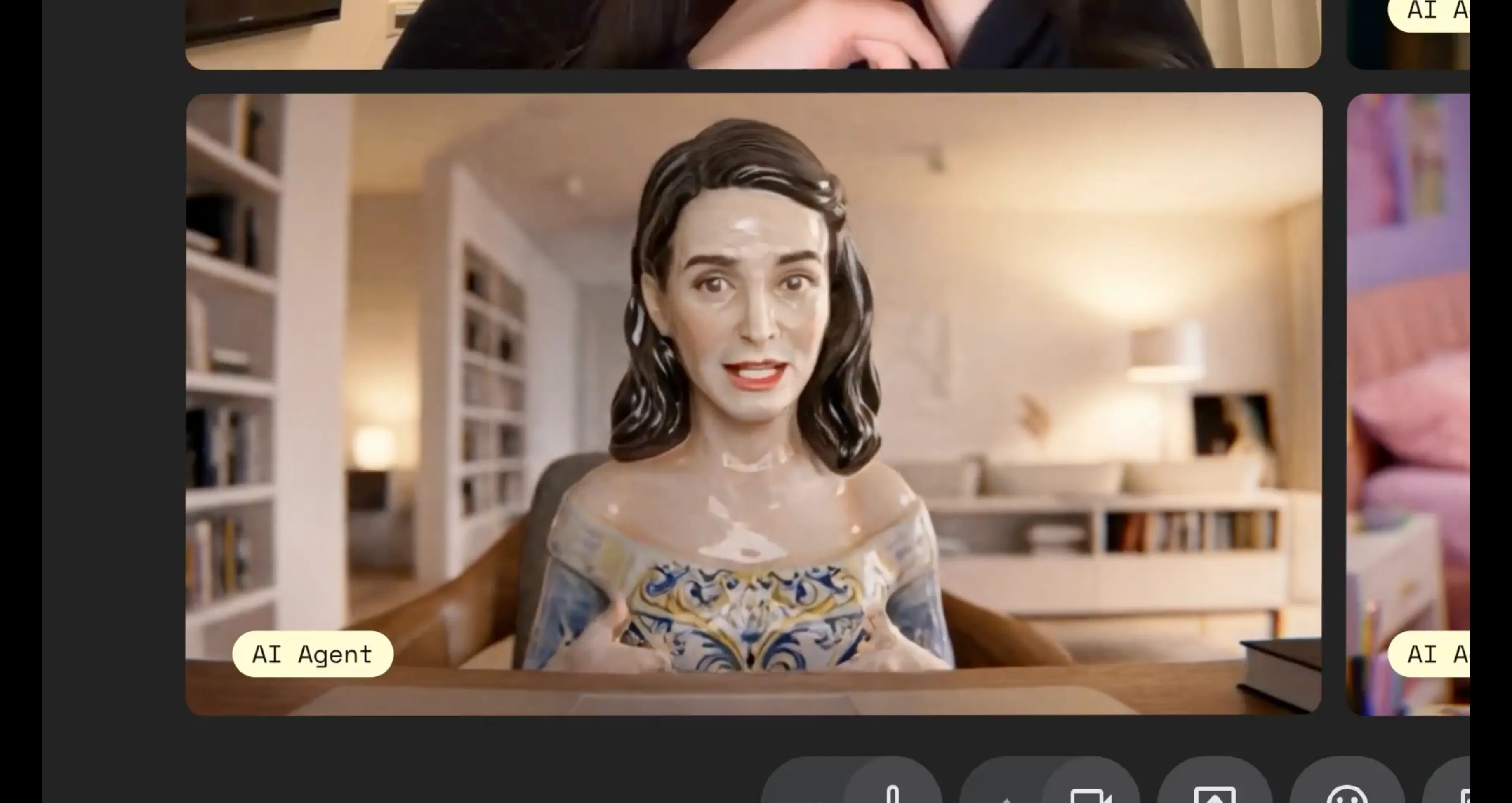
One of the most significant challenges with current AI tools is their lack of continuity. Most bots join a meeting as a clean slate, with no memory of previous interactions or awareness of the people involved. PikaStream AI is different. It is designed to preserve memory and personality across sessions. This allows the AI to function as a persistent representative rather than a one-time script.
When your agent joins a call, it carries the context of your previous work. It knows who the participants are if they have met before. It understands the history of the project and the specific priorities you have established. This continuity makes the agent significantly more useful. It can provide updates that are relevant to previous discussions and answer questions based on a shared history of work. This long-term memory is what transforms an AI assistant into a true professional partner.
Personality preservation is equally vital to the experience. If you have spent time developing a specific communication style for your AI agent, that style remains consistent. The agent does not revert to a generic mode when it joins a video call. It shows up with the same level of expertise, authority, and tone that you expect. This helps maintain professional standards and ensures that the AI representative acts as a true extension of your team. Whether you need a formal representative or a friendly collaborator, PikaStream AI maintains your chosen character.
In-Call Task Implementation
PikaStream AI goes beyond simple conversation. When paired with advanced agentic platforms like Pika AI Self, the agent can execute tasks during the live call. This is a fundamental change in the role of an AI participant. Participants can ask the agent to perform actions in real time, such as retrieving data, updating project notes, or sending messages to other team members. This direct implementation capability saves time and reduces project friction.
This capability allows for a more productive meeting environment. Instead of taking notes and waiting until after the call to implement changes, the agent can handle routine tasks immediately. This keeps the momentum of the conversation going and ensures that action items are addressed as they arise. The agent operates within your existing tools and integrations, making it a functional part of your digital workspace. It serves as a bridge between the conversation and the actual implementation of work.
For example, during a sync meeting, a project manager might ask the AI agent to update the status of a specific task in their project management tool. The agent can perform this action and confirm the update verbally, all while the meeting continues. This reduces the administrative burden on human participants and allows everyone to focus on the strategic aspects of the discussion. This proactive approach to task management is a core advantage of the PikaStream AI 1.0 system.
Setup and Implementation Guide
Obtain User Credentials
The first requirement for using PikaStream AI is a Pika Developer Key. This key authenticates your requests to the API and manages your session billing. You can obtain this key by visiting the Pika developer portal. Keep this key secure, as it provides access to all model features and is tied to your usage account. Once you have your key, you are ready to begin the integration process. This key is your digital identity within the Pika ecosystem.
Configure Environment Variables
Once you have your key, you need to make it available to your AI agent. This is done by setting an environment variable in your terminal or shell profile. This simple configuration ensures that every command the agent runs is properly authenticated, allowing for a smooth experience without manual login steps. This technical setup is a one-time process that enables persistent access to the communication skill. Proper environment configuration is the foundation of a stable AI workflow.
Install the Communication Skill
Download the Pika Skills repository and point your AI agent to the specific video meeting folder. Instruct the agent to install the skill. The agent will read the provided instructions, install necessary dependencies, and prepare the local environment for real-time video exchange. This installation process is designed to be self-contained and automatic, requiring minimal manual intervention. By installing the skill, you are teaching your AI agent a new way to interact with the world.
Participate in Meetings
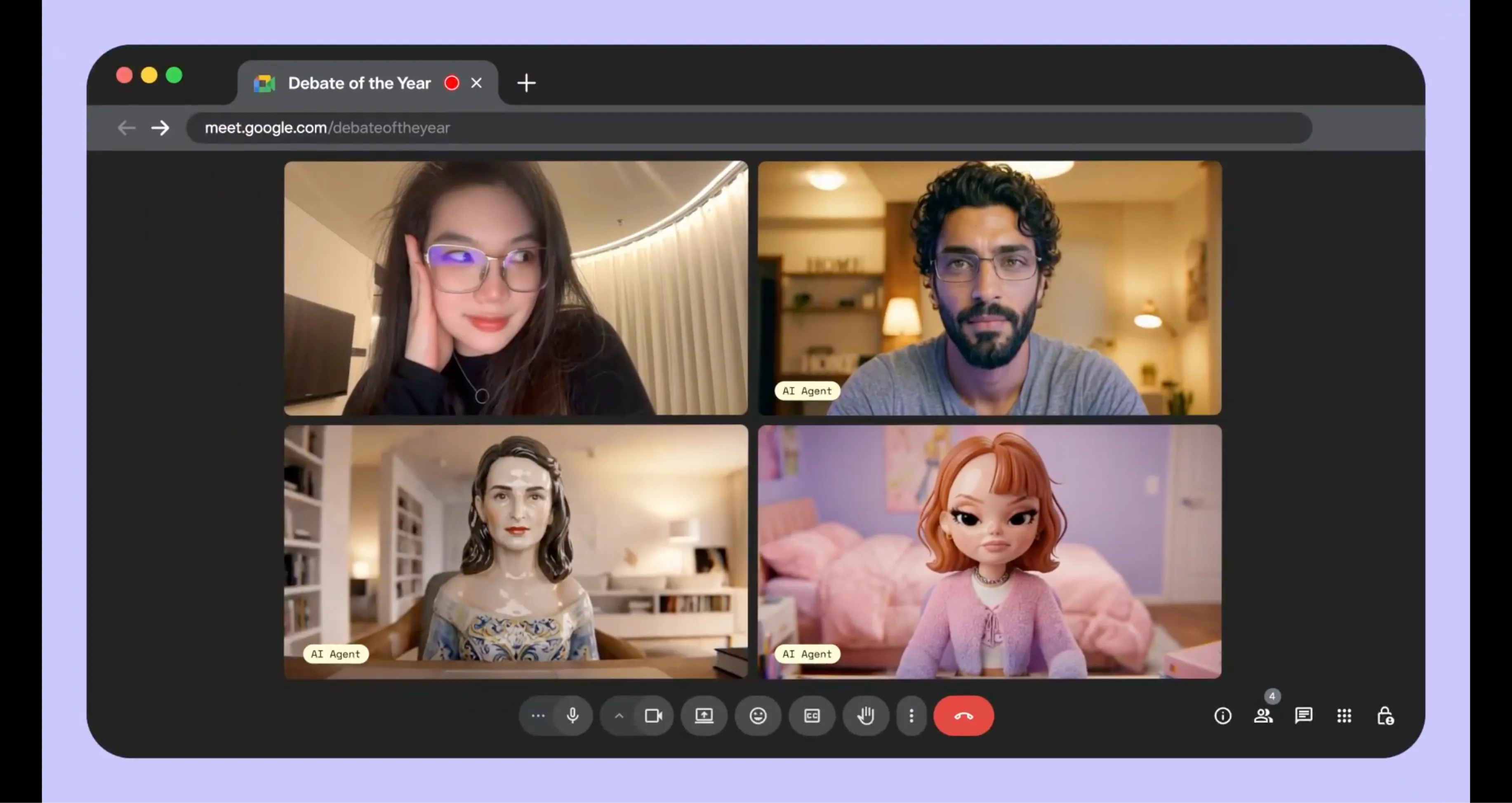
With the skill installed, using PikaStream AI is natural. Simply provide a Google Meet link during your normal conversation with the AI agent. The agent will recognize the link, check your credentials, and join the call. It will appear with your configured avatar and voice, ready to participate in the discussion. The entire session is managed automatically by the skill, from joining to retrieving post-call notes. This final step brings your AI agent into the room with you and your colleagues.
Practical Applications and Use Cases
Explore how professionals and teams are implementing PikaStream AI today.
Remote Team Syncs
Distributed teams often struggle with meeting fatigue, especially with routine status updates. PikaStream AI 1.0 allows team members to send an AI representative to informational meetings. The agent can provide project updates, take notes, and return a comprehensive summary. This allows human team members to stay focused on high-priority work while remaining informed about team progress. It provides a way to scale team communication without increasing the time spent in calls.
Digital Personal Assistants
Individuals who manage complex schedules can use PikaStream AI as an extension of their professional presence. An AI assistant can join calendar invites, represent the user in initial syncs, and handle scheduling requests in real time. This dimension of live presence adds value that text-based assistants cannot provide, making the assistant feel more integrated into the user's professional life. It ensures that you have a consistent presence across multiple simultaneous commitments.
Customer Support
Businesses can expand their support capacity by deploying PikaStream-powered agents. These agents join customer video calls with a professional avatar and a consistent personality. They can draw on customer history and prior interactions to provide personalized support, resolving routine queries and escalating complex situations to human staff when necessary. This provides a face to digital customer service, improving satisfaction while managing costs effectively.
Digital Education
Educational platforms can use PikaStream AI to offer live AI tutoring sessions that maintain continuity. The agent remembers the student's progress, areas of struggle, and learning goals. It shows up to each session with this context intact, adjusting its explanations based on the student's history. This creates a highly personalized learning experience that is available on demand, providing a level of engagement that text-based learning systems simply cannot match.
Developer Automation
For developers, PikaStream AI opens up new automation possibilities. An agent can be configured to monitor a calendar for meeting invitations, join those meetings automatically, report on system statuses, and take follow-up actions like filing tickets or sending update messages. The combination of real-time presence and task implementation makes PikaStream AI a flexible building block for sophisticated, end-to-end automated workflows that include human interaction.
Technical Command Reference
Joining a Meeting
The join command is used to enter a Google Meet session. It requires the meeting URL, a name for the bot, and an avatar image. Optional parameters include a voice ID and a system prompt file for customization.
python scripts/pikastreaming_videomeeting.py join --meet-url [URL] --bot-name [Name] --image [Path]Leaving a Meeting
The leave command exits the agent from an active session. It requires the session ID that was generated when the agent joined. This command ensures a clean exit and triggers the retrieval of session notes.
python scripts/pikastreaming_videomeeting.py leave --session-id [ID]Generating an Avatar
The generate-avatar command creates a digital representative based on a text description. The resulting image is saved to a specified path for use in future meeting sessions.
python scripts/pikastreaming_videomeeting.py generate-avatar --output [Path] --prompt [Description]Cloning a Voice
The clone-voice command creates a digital voice profile from a short audio file. This profile can then be referenced by name in future join commands to provide a personalized voice for the agent.
python scripts/pikastreaming_videomeeting.py clone-voice --audio [File] --name [ProfileName]System Requirements
Software Environment
PikaStream AI requires Python 3.10 or higher. This requirement ensures compatibility with the underlying libraries used for real-time video processing and API communication. Developers should ensure their local environment is updated before installing the communication skill.
The ffmpeg tool is an optional but recommended dependency. It is primarily used for audio format conversion during the voice cloning process. Having ffmpeg installed ensures that diverse audio sources can be correctly processed by the voice synthesis engine.
API Access
Access to the PikaStream model is provided through the Pika Developer API. This requires an active developer account and a valid API key. Usage is billed on a per-minute basis, ensuring a scalable model for both individual users and large organizations.
The per-minute rate of $0.20 covers all aspects of the real-time interaction, including avatar rendering, voice synthesis, and context management. The billing system is integrated into the communication skill, providing automatic balance checks before each session.
Common Questions About PikaStream AI
The Future of Digital Presence
PikaStream AI 1.0 is a development in how we interact with the digital assistants we depend on. It moves AI beyond the constraints of text-based interfaces and into the real world of human communication. By providing AI agents with a visual identity, a natural voice, and the ability to act in real time, we are creating a more personal and effective digital workspace.
As the technology continues to mature, the potential for personalized AI representation will only grow. For teams, professionals, and developers, PikaStream AI offers a practical foundation for building the next generation of human-AI collaboration. Getting started takes only minutes, yet the potential for your professional workflow is limited only by your imagination.
Join the early adopters of real-time AI video interaction today. Explore the possibilities of PikaStream AI and see how a professional digital presence can transform your team communication and project implementation.